Edit a request
Users with the Edit Request permission can adjust requests. You can customize your view of this page.
- Select Requests > View All Requests.
- Find a request by searching or using a filter(s).
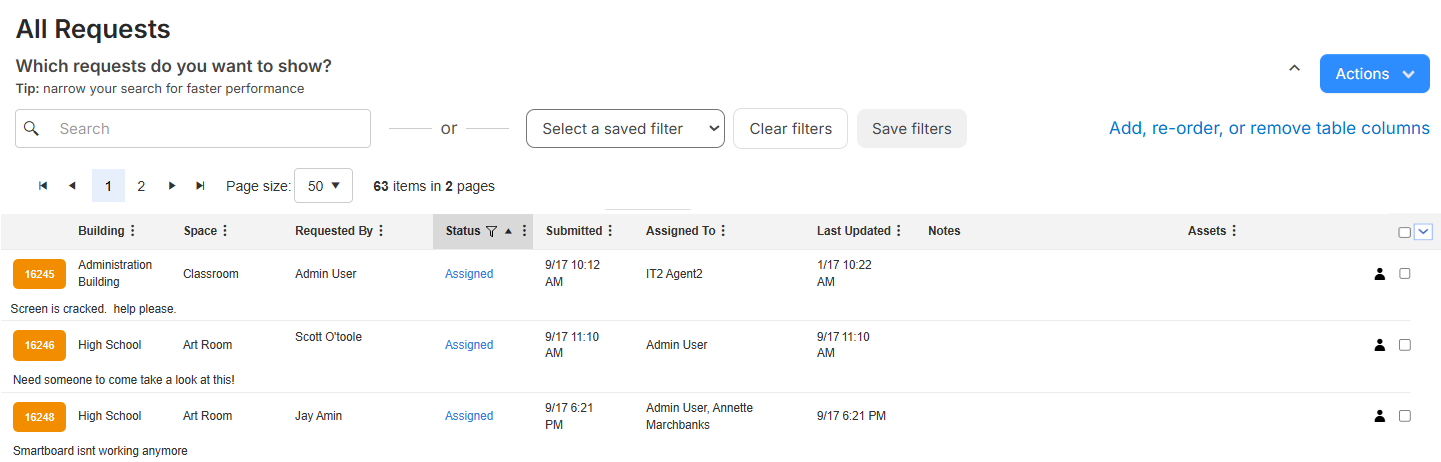
- Click the Request ID for the request you want to edit.

- Click Edit.
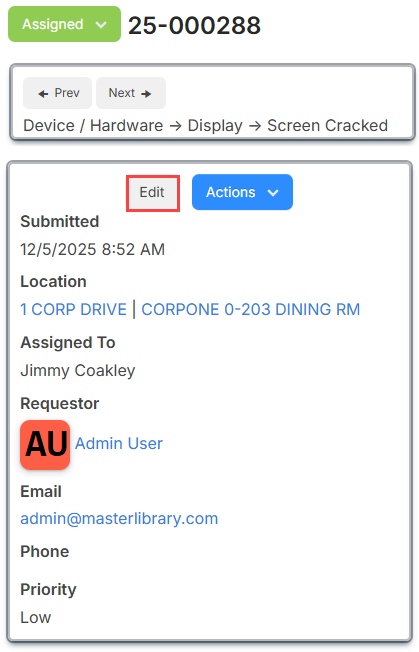
Note: This button only appears if you have permission to edit this request. - Make the desired edits.
Note: If this request's request type has walk-through mode on, you can change the request Category field. You can only change the category if all fields exist in both categories.
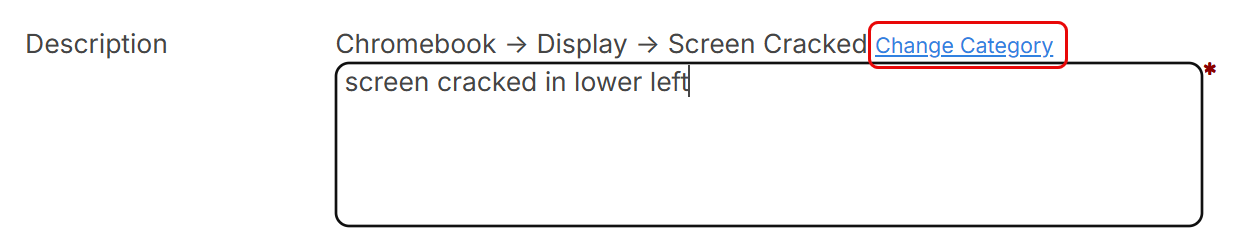
From the pop up that appears, select the new request category.
As custom fields are associated with request categories, changing the category could change which custom fields are on the request form.
- Click Save.