Run a Charges Report
Users with the Manage Charges or View Charges role permission can run a Charges Report. This report displays all charges in the district for a specified time period, including the number of charges, charge amount, payment amount, and balance.
You can customize your view of this page.
To view the Charges Report, select Reports > Charges Report. The report defaults to today's date.
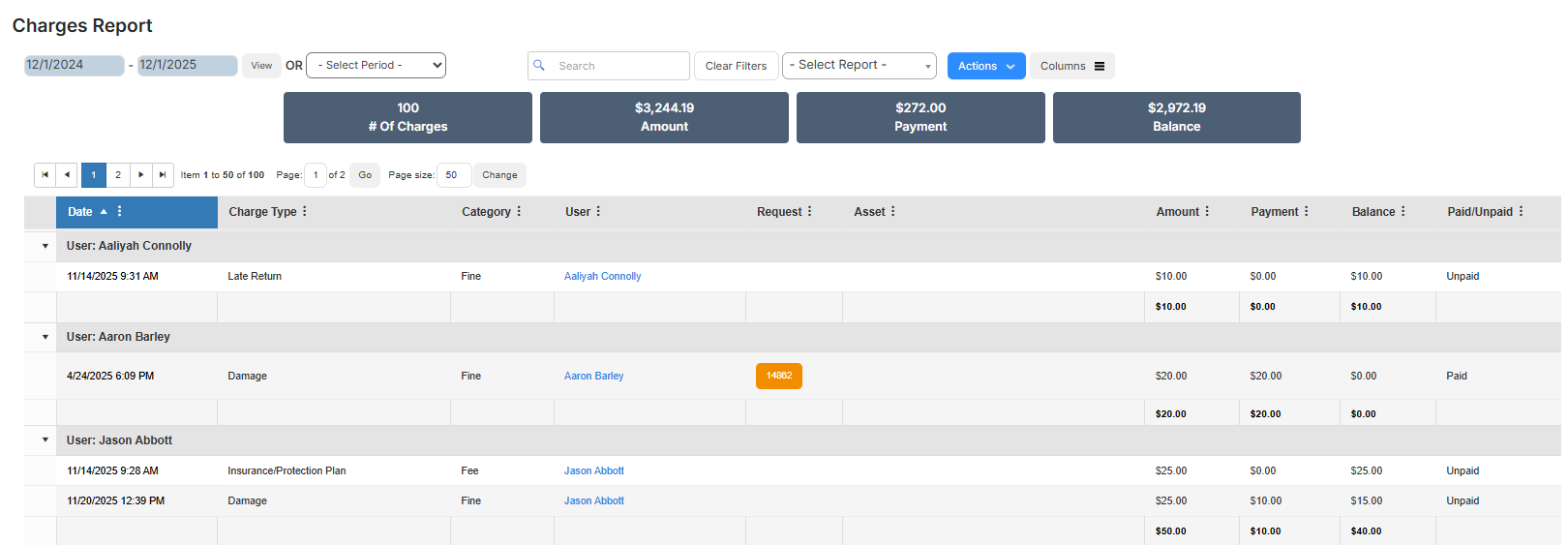
To focus on the data you want, do any of the following:
| To... | Then... |
|---|---|
| Modify the date range |
|
| Choose a preset time period | Use the drop-down to select the desired time period. |
| Add or remove columns |
|
| Filter a column |
|
| Print the report | Select Actions > Print PDF. The report is saved to your Downloads folder. |
| Export an Excel file | Select Actions > Export to Excel. The report is saved to your Downloads folder. |
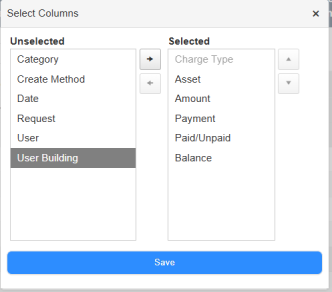
 .
.