Use the Technology AI Assistant
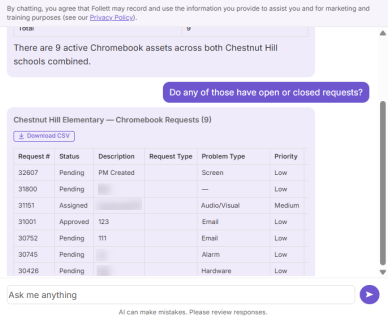
The Technology AI Assistant answers product-focused questions, such as how many requests are open or how many assets are checked out.
Before you begin
An administrator must grant you the AI Assistant Access permission before you can use the AI Assistant.
|
Note: The AI Assistant honors your existing permissions. For example, if you can access assets at the high school and ask about the elementary school, the assistant does not provide an answer. |
Use your assistant
With the permission enabled, your assistant appears on any page in IT Asset Manager.
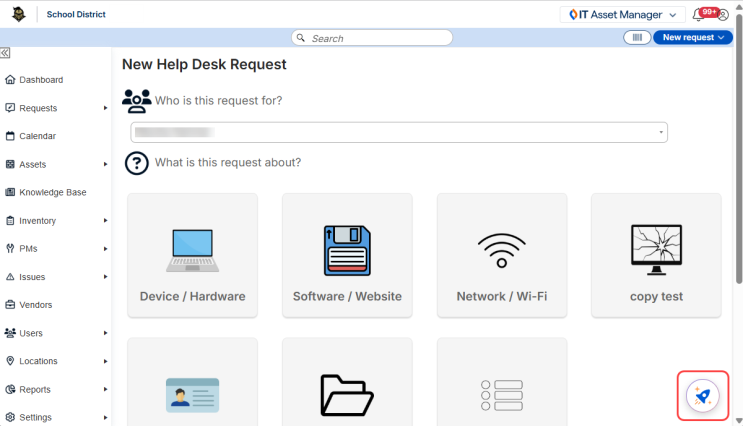
How it works
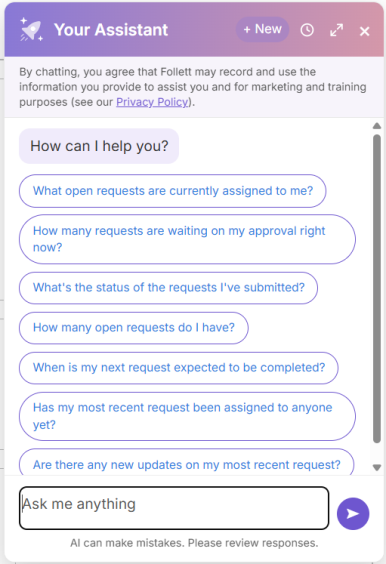
Step 1: Enter a prompt.
Type your question or request in everyday language, or select a pre-built prompt to get started.
Your assistant can answer questions about your request, asset, inventory, preventative maintenance, vendor, user, and location data.
|
Note: The assistant cannot create, edit, or delete records. |
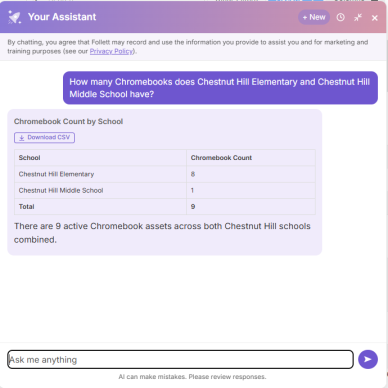
Step 2: Review the response.
Responses can include quick insights for simple inquiries, and more detailed data for complex requests.
Step 3: Continue the conversation.
If you need more specific information or have follow-up questions, keep the conversation going by asking another question or refining your prompt.