Manage request status settings
Users with the Manage Site Settings administrative permission can do the following when requests do not change or move to a different status:
- Require notes.
- Add custom status reasons.
- Send notifications when a request remains in a specific status for a set number of days.
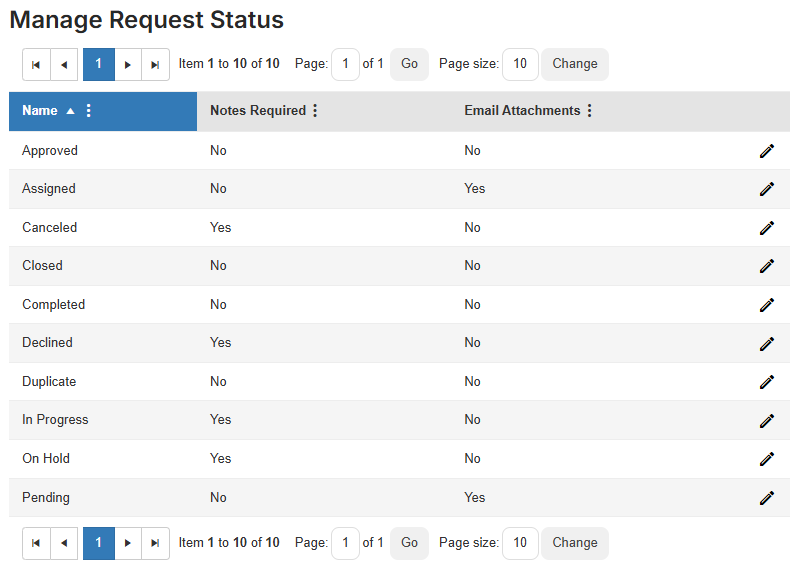
Use the table below to see which statuses let you require notes, add a reason, or send notifications.
| Status | Ability to require notes | Add status reasons | Send notifications |
|---|---|---|---|
| Approved |  |
|
|
| Assigned |
|
||
| Canceled |
|
||
| Closed |
|
||
| Completed |
|
|
|
| Declined |
|
||
| Duplicate |
|
||
| In Progress |
|
|
|
| On Hold |
|
|
|
| Pending |
|
|
To require notes, add a reason, or send notifications:
- Select Settings > Setup Items > Manage Request Status. The Manage Request Status page appears.
- Next to the status you want to edit, click
 .
. - Do one of the following:
If you want to... Then... Require a note when a request status changes - Select the Notes Required checkbox.
- Click Save.
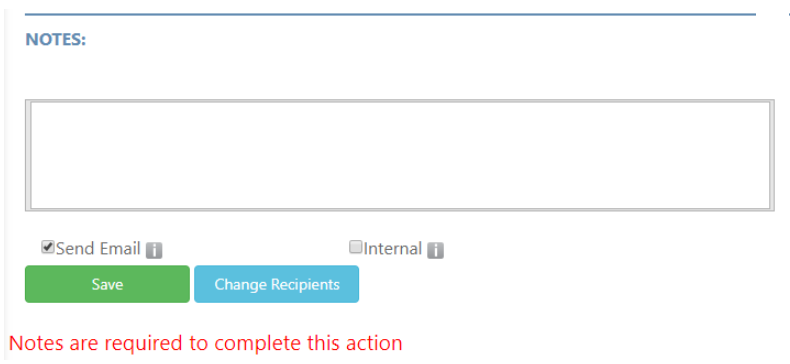
When a request status is changed, the following pop-up appears:
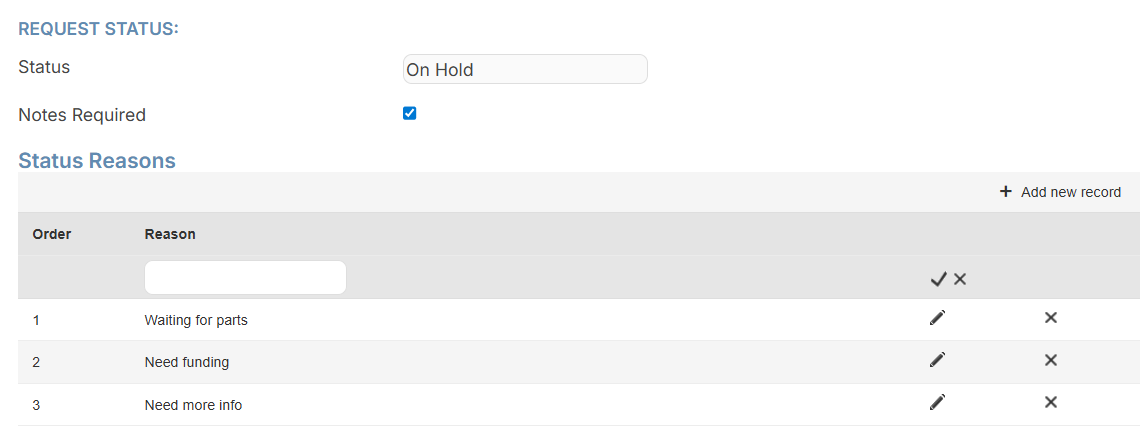
Add a reason users choose from when changing a request status - In the Status Reasons section, on the right-hand side, click + Add new record.
- Enter a Reason.
- Click
 .
.
Create an automatic reminder when a status has not changed in a set number of days
Important: Notes created from automated status reminders on requests appear as external notes. - In the Notifications section, on the right-hand side, click + Add new record.
- Enter the following:
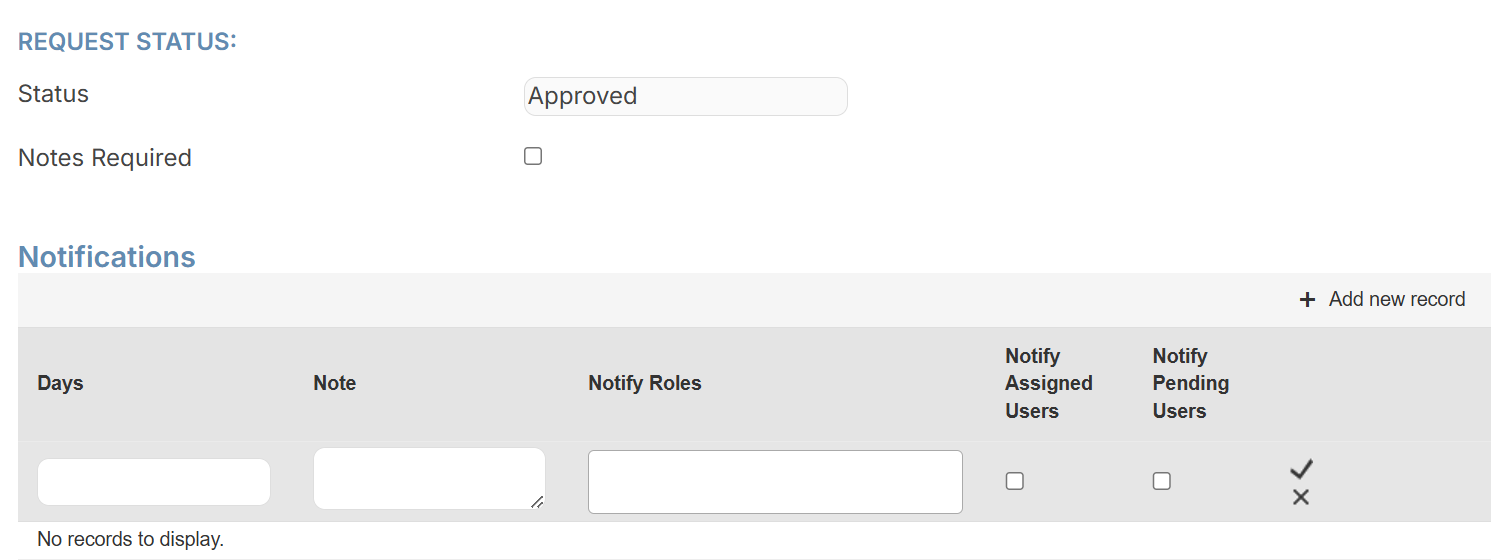
- Days: Enter the number of days after which the notification is sent out if a request status remains the same.
- Note: Enter the text you want the notification to show.
- Notify Roles: Select which roles will receive the notification.
- Notify Assigned Users: To notify assigned users, select this checkbox.
- Notify Pending Users: To notify pending users, select this checkbox.
- Click .
Notes:
- Automated reminders post a note to requests at 6am the day after the request meets the Days threshold.
- You can manually post an external note for a specific status that has been in that status for the set number of days by clicking
 .
.