Approve and assign requests in bulk
Users with the Approve Requests, Approve on Behalf of Others, or Assign Requests to Others permissions can approve and assign requests in bulk.
- Select Requests > View All Requests.
- Find a request by searching or using a filter(s).
Note: To view all requests, in the column of your choice, click . In the filter () section, select Check All, and then click Filter.
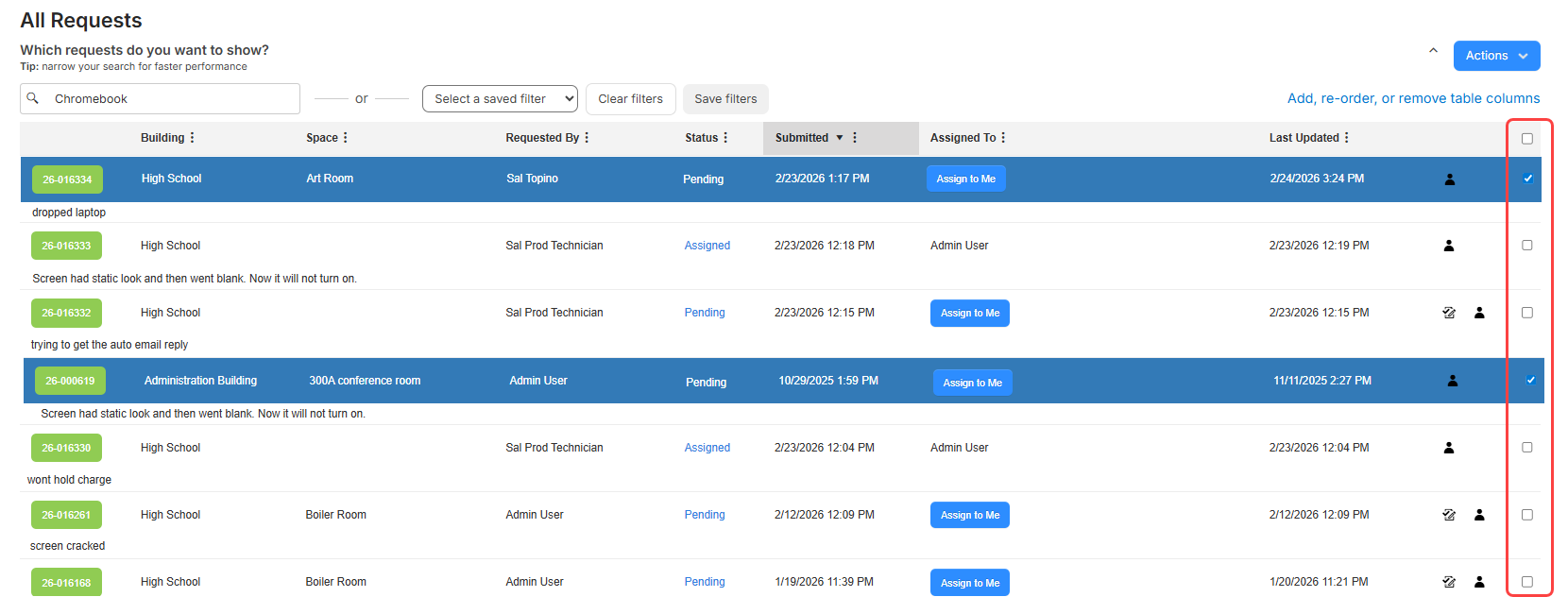
- In the row of each request you want to approve or assign, select the checkbox.
Notes:
- Selected rows are highlighted in blue.
- To select all requests, select the checkbox in the column header.
- In any of the selected rows, click
 . The Approve/Assign Request pop-up appears.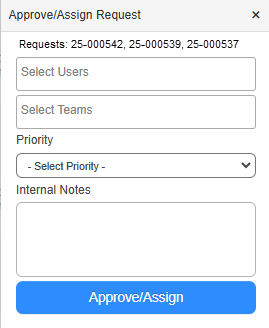
- Do any of the following:
- Select the Users and/or Teams you want to assign the requests to.
- Select the Priority.
- Add any Internal Notes.
- Click Approve/Assign.