Mass update space fields
You can use Mass Update on the Spaces page to activate or deactivate spaces, include them in requests or as inventory stock locations, and update square footage, dimensions, or maximum capacity.
To mass update spaces:
- Select Locations > Manage Spaces. The Spaces page appears.
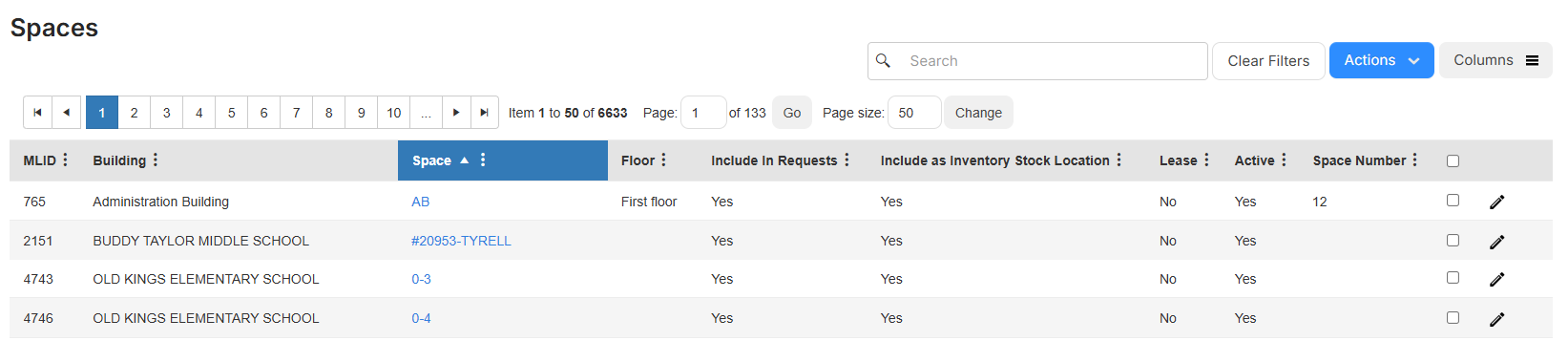
- In the row of each space you want to update, select the checkbox.
- Select Actions > Mass Update. A pop-up appears.
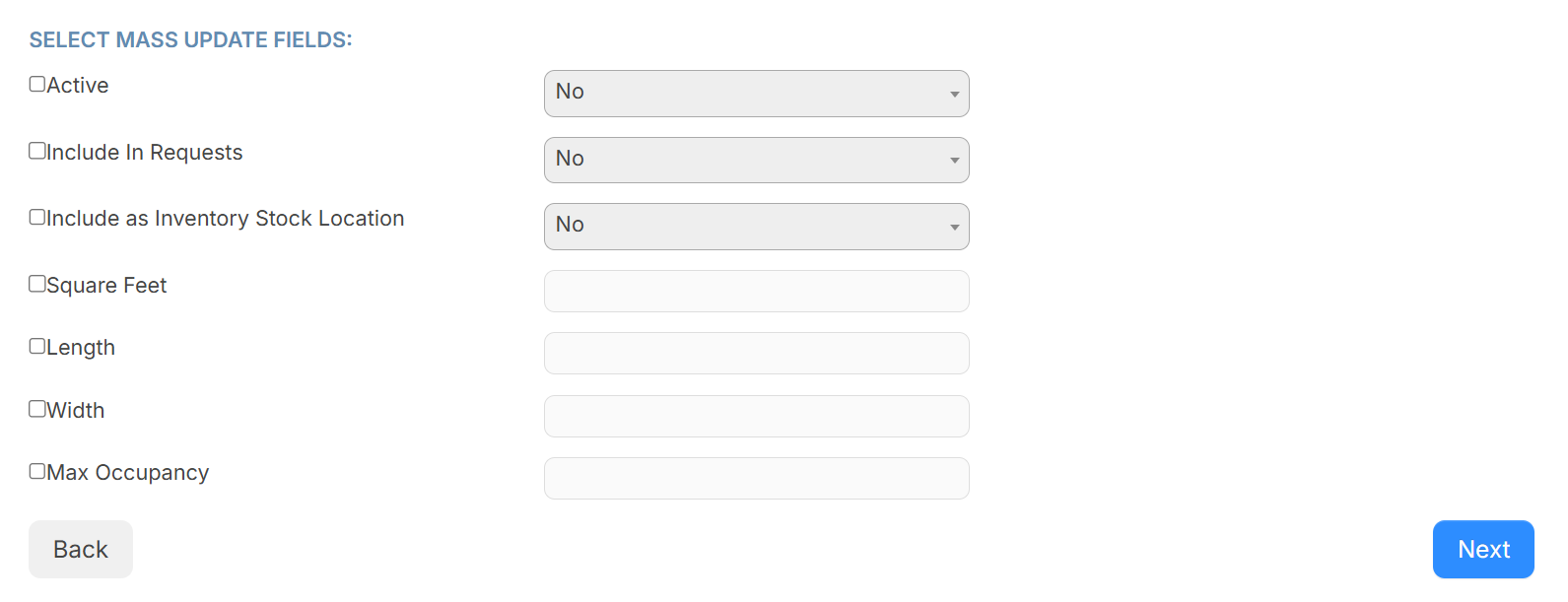
- Next to each field you want to mass update, select the checkbox, and update the value.
- Click Next. The Confirm Mass Update page appears.
- Click Go!. A confirmation pop-up appears.
- Click OK.
The Mass Update status changes to Success when it is complete.